Hi,
Yes, the App crash. Server and Ableton still stays up, but as soon as I open Touchable 1.727 it will not establish a connection with Live 11.02 and no information is transferred to Touchable.
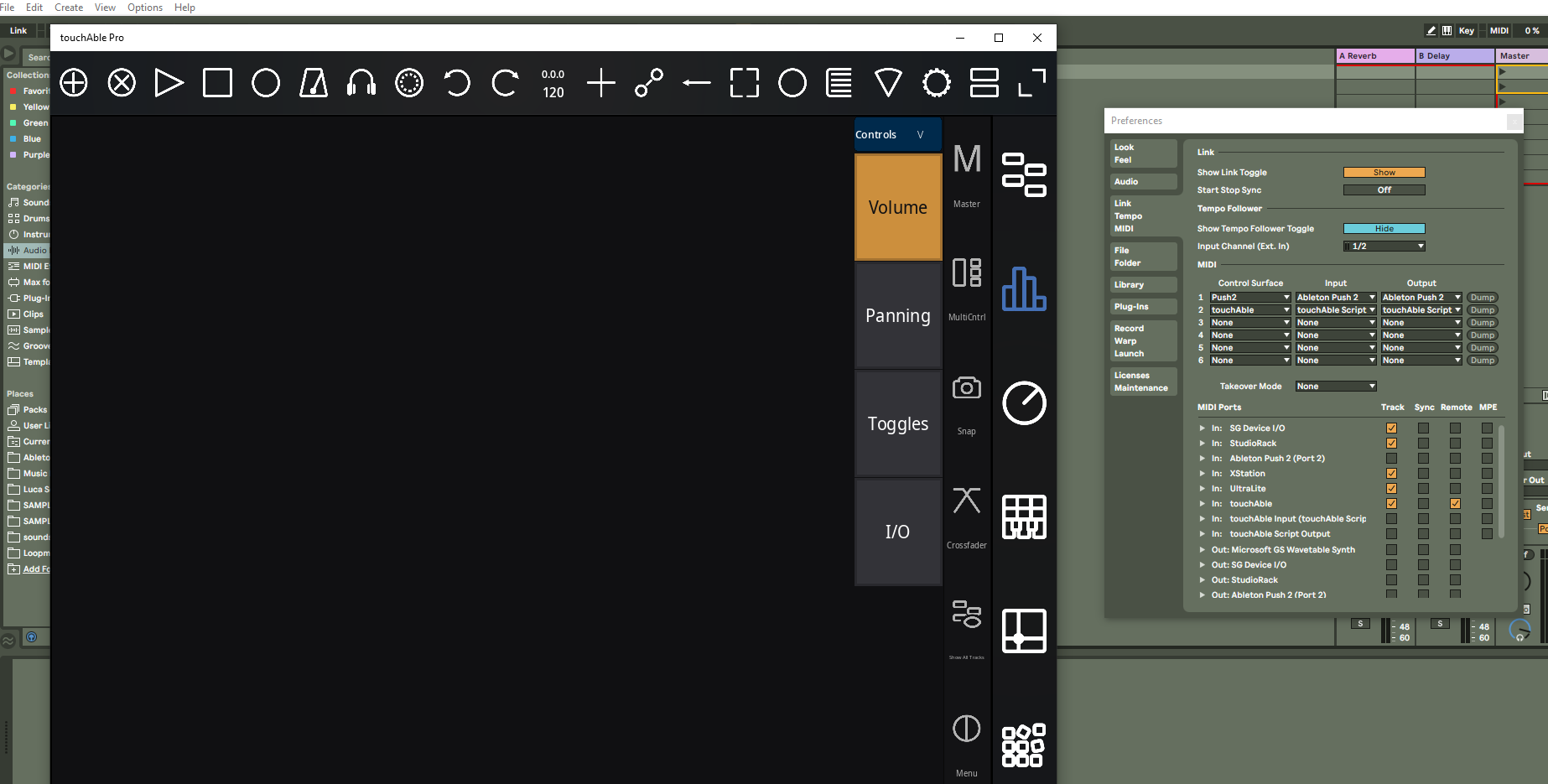
Then I set the routhing on ableton preferences with touch output and input, and Touchable crash.
I do believe in your project, but honestly, is still very experimental and very close to unusable.
Luckily i didn’t sold my Push 2
could you please try to remove touchAble’s App Data folder completely?
If you formerly created layouts or editor templates please archive this folder before deleting it:
touchable’s data are stored here: please try to delete this folder and restart touchAble:
Just bought and installed Touchable Pro (running Mac OS and Live 11.0.5 with the latest script). Pretty much everything seems to be working based on a quick 15 minute test but the arrangement view is blank, i.e. there are no clips visible. I can move loop points and set cue points but just can’t see any events/clips for any of the tracks.
to enable the arrangment view, pleas activate it via the server’s context menu -> options -> arrang. view.
And restart live, therafter. Though be aware, that the arrangment view only has a very limited number of features. You can not open and edit a clip for example.
Sorry Pascal, but is not working for me.
I can’t get to work it around.
I’ve uninstalled Touchable Pro, erased all the scripts from Touchable and Zerodebug, downloaded again from windows server, installed again, and run the latest 1.742 server, installed the script using the server options, installed on the Live 11.02 folder.
I doubled check if the script is copied into the User Library of Live, and it is.
Then I run first the server, then open Live, then open Touchable… nothing happen on touchable, empty screen.
Toouchable It actually shut down after a minute or so.
This might have been mentioned before though I admit I didn’t read all 157 posts. Installing v.1727 installed the remote scripts to the Ableton folder under C:\Users. But my user library is actually on a different drive. Once I copied the touchAble folder under Remote Scripts from my user data folder to my actual user library, everything started working (or so it appears).
sorry for all the install troubles, we once again reworked the script intaller. There is still no 100% guarantee, that we can properly detect the right folder, but the search process has been massively improved … (made more complicated :)).
Live logs the selected User Library path in an file called Indexer.txt located in Live’s Preference folder located here:
We now search for installed versions of Live first.
For each installed version we detect the latest modified Live folder, e.g:
C:Users\pascal\AppDate\Roaming\Ableton 11.1\
Then look for the latest User Library entry in:
C:Users\pascal\AppDate\Roaming\Ableton 11.1\Preferences\Indexer.txt
This seems to work pretty well, but still is more of a hack than a nice solution.
In the course of the hacky user library search we also included a Script detection, searching Live’s Log.txt for the latest entries providing information about selected scripts. Currently it will prompt a warning on each server start in case a Live version has been detected, that did not load/select touchAble’s Control Surface.
I’m desperate… why my system would not work???
Touchable interface does not load any information from Live and it shut down after a minute or so.
What is wrong???
I’ve installed the script and on Mac it says it was "Successfully installed touchAble Pro to Live’s User Library
/Users/DJ/Music/Ableton/User Library/Remote Scripts/touchAble "
My user library isn’t in that location. When I click on the server it says “0 scripts found” and in my Ableton Live settings there is no Touchable in the control surface scripts. Is this because there is no custom location install for the server script? If so, can we please get the option to set a location? Thanks
Have also made a remote script folder in user library : User Library/Remote Scripts/touchAble and it’s not recognized since the server doesn’t look in that location I guess?
I am having issues as well. On a 2017 Macbook Pro:
Catalina OS 10.15.7
Ableton Live 11.0.6
Ableton 11 does not show Touchable in the Preferences> Control Panel. It does allow me to select Touchable Script for the Input/Output options.
On the desktop Touchable will allow me to install Scripts V 1744. However if I scroll down to the “2 touchable Scripts Found” it will show Live 9.7.7 and Live 11.0.6 but they are greyed-out and unable to be selected.
I would appreciate some assistance with this especially since I just dropped $30 on this software.
Can you please update the install instructions for the rewritten installer & script usage ?
(and post a link on the https://zerodebug.com/#/beta
page)
Or does this exist and I just fail to find it…?
Seems this is creating a fair bit of confusion…
I as well fail to even register the latest testflight iPad versions with the 1.747 server (i.e. having the iPad listed in the server app as an available device, all I see is:
Available Devices Local/Wifi: 0
Active Connections: 0
[whereas I have 2 iPads listening…] )
Let alone making it work in Live (11)…
i could finally reproduce the connection issue. It somehow seems to be releated to the app’s cached data. Could you please try to reset the touchAble UWP App’s data?
To reset the App’s data please search for ‘touchAble Pro’, click ‘App settings’ and select ‘Reset’.
We will modify the script installer, so the user can modify the install path in case the User Libary path has been modified, doesn’t exist or the User Library is not supported.
Sorry for the confusion, we will update the manual and guide within this week.
On a MacBook Pro 15 2015 running Big Sur 11.6 and Ableton 11.0
Trying unsuccessfully to connect to the Touchable app on my iPad Pro 2021
Have followed the instructions in the manual (seems slightly outdated?), installed and re-installed latest remote scripts as well as restarted all apps a few times. I have set the right settings in Ableton (touchable shows up as input).
The touchable IOS App can see the connections (1 over USB and 3?? over WiFI), but does not connect. 0 touchable scripts found by the Touchable app on my Mac.
I’m openly willing to grant you access to my PC with remote desktop, if you reckon you could fix my issue… It’s almost one year I’m struggling to make this your great project working, but honestly, after paying £30 for a non working app, I’m starting to get really pissed off. I appreciate your effort, don’t take me wrong, but the price we paid is high, and the app is really on a pre-beta testing. I’m glad to be part of a development, but, can I at least enjoy some of my investment?
Have you had any luck? I’m also unable to get touchable pro communicating with the server (when running both on the same windows touch machine). I can get the server linked with Ableton Live, thats fine, but the touch app doesn’t detect anything.
Running latest versions, firewall turned off. Any help will be much appreciated how I can get this running on a single windows touch machine